

If you are interested in computers and love learning about the hardware, upgrading your own computer and doing just about anything you can with a computer, than a potential career with computers might just be the perfect job for you. Before you go out and just label yourself a computer expert though there are a few different tips you need to follow. These are going to make you easier to employ and even help you earn more money. This way, when you find a position that comes up and you're interested in, all of your experienced and training should pay off and help you land the job.

1) Learn both Operating Systems
It is very important for you to know how to use the operating systems. While you might have a personal preference as to which is best, knowing how to work both is very important, because by only learning one, you are going to greatly limit your job potential.
2) Certification
While you might already know how to do something and have extensive experience in it, obtaining a certification in the position tells anyone else who is reading your resume that you know how to do it and are not just listing it as a career skill on your resume. IT training certifications are always going to look better to an employer than no certification at all. This is very important to remember, and although you might have to pay some money up front for the class or certification test it is well worth the money.
3) Take Computer Courses
There are always computer courses available for you to take, and some of these classes are going to help you greatly expand your knowledge base. Yes, not all of the classes are going to be very exciting, as you probably already know how to use word processors, spread sheets or other programs. However, learning how the inner workings of these different software titles work and how you can troubleshoot the system is going to come in handy.
4) Read
If you go to the computer section of your local book store you are going to find all sorts of different computer books on different kinds of software, hardware and just about anything else you could possibly think of. These different books are great tools to not only learn from, but to have on hand when you do land a job.
5) New Hardware
Stay up to date with the newest software and hardware from computer manufacturers and never let your IT training expire. If you know how to work the latest programs and features, as well as the difference between previous models and releases, you can work on just about any computer system, regardless of how old or new it might be.

1) Learn both Operating Systems
It is very important for you to know how to use the operating systems. While you might have a personal preference as to which is best, knowing how to work both is very important, because by only learning one, you are going to greatly limit your job potential.
2) Certification
While you might already know how to do something and have extensive experience in it, obtaining a certification in the position tells anyone else who is reading your resume that you know how to do it and are not just listing it as a career skill on your resume. IT training certifications are always going to look better to an employer than no certification at all. This is very important to remember, and although you might have to pay some money up front for the class or certification test it is well worth the money.
3) Take Computer Courses
There are always computer courses available for you to take, and some of these classes are going to help you greatly expand your knowledge base. Yes, not all of the classes are going to be very exciting, as you probably already know how to use word processors, spread sheets or other programs. However, learning how the inner workings of these different software titles work and how you can troubleshoot the system is going to come in handy.
4) Read
If you go to the computer section of your local book store you are going to find all sorts of different computer books on different kinds of software, hardware and just about anything else you could possibly think of. These different books are great tools to not only learn from, but to have on hand when you do land a job.
5) New Hardware
Stay up to date with the newest software and hardware from computer manufacturers and never let your IT training expire. If you know how to work the latest programs and features, as well as the difference between previous models and releases, you can work on just about any computer system, regardless of how old or new it might be.
Nothing could be more exquisitely painful than losing critical data you have just finished putting in after a terrible accident (as in accidental formatting) or some horribly arcane mechanical glitch (as in broken drive parts) - although the end results would still be the same whether the data in your storage system had been in place for a long while now or relatively just written. This is to say that it would be catastrophic in both situations. Luckily, technology has evolved so much that previously considered lost data may still be recovered.

RAID, Mac, or laptop, hard disk recovery of data is entirely possible provided you take the proper steps to ensure it. The first thing you need to do, right after not exploding into a fit of panic, is to make sure that the problem really is the hard drive. Tech magazines recommend that you take out your hard drive from the troubled desktop or laptop and connect it to another computer to run hard drive diagnostics. For a Mac computer, you only need to use a FireWire cable to connect your troubled, non-functioning Mac by pressing down "T" at startup. If the files from the failed hard drive show up on the working Mac, the problem might not be the hard drive. If not, then it is time to seek professional help - the kind that uses forensic quality tools that recover digital data.
Companies that specialise in desktops, RAID, and Apple Mac hard disk data recovery would be recommended as this indicates a high level of expertise. Depending on the extent of the damage and data to be recovered, this specific and very technical service will cost a great deal of money. So you want to make sure that the service provider's data recovery process will not tie you to a pricey fee. Ideally, and perhaps for less complex data recovery jobs, you may get an online quotation and send your media through shipment. The data recovery company should be able to make a diagnosis and assess cost for the job.
For more complex jobs, you may want to personally bring your hard drive to the data recovery company. This will allow you to better understand the process and, more significantly, check out the company's facilities, such as its laboratory, for security. You want to guarantee that whatever sensitive data is contained in your storage source that it will remain secure with the recovery company.
From MacBook to RAID data recovery, a proper recovery firm can retrieve or salvage your lost files. Take the necessary step today. And find a reputable recovery company - before you need one. Check this out to know more about this.
Click here for more information about data recovery for Mac.
RAID, Mac, or laptop, hard disk recovery of data is entirely possible provided you take the proper steps to ensure it. The first thing you need to do, right after not exploding into a fit of panic, is to make sure that the problem really is the hard drive. Tech magazines recommend that you take out your hard drive from the troubled desktop or laptop and connect it to another computer to run hard drive diagnostics. For a Mac computer, you only need to use a FireWire cable to connect your troubled, non-functioning Mac by pressing down "T" at startup. If the files from the failed hard drive show up on the working Mac, the problem might not be the hard drive. If not, then it is time to seek professional help - the kind that uses forensic quality tools that recover digital data.
Companies that specialise in desktops, RAID, and Apple Mac hard disk data recovery would be recommended as this indicates a high level of expertise. Depending on the extent of the damage and data to be recovered, this specific and very technical service will cost a great deal of money. So you want to make sure that the service provider's data recovery process will not tie you to a pricey fee. Ideally, and perhaps for less complex data recovery jobs, you may get an online quotation and send your media through shipment. The data recovery company should be able to make a diagnosis and assess cost for the job.
For more complex jobs, you may want to personally bring your hard drive to the data recovery company. This will allow you to better understand the process and, more significantly, check out the company's facilities, such as its laboratory, for security. You want to guarantee that whatever sensitive data is contained in your storage source that it will remain secure with the recovery company.
From MacBook to RAID data recovery, a proper recovery firm can retrieve or salvage your lost files. Take the necessary step today. And find a reputable recovery company - before you need one. Check this out to know more about this.
Click here for more information about data recovery for Mac.
I think we can all agree that computers and the internet have had a huge impact on pretty much every industry, and are the cornerstones of our modern civilization. It's amazing to think that people once thought of computers as a huge waste of space, and that they would never become popular. The past decade has taken these innovations and brought them into the mainstream with technologies like social networking, GPS, smartphones, and a whole lot more. It truly is mind-blowing to see how far we've come in the past decade alone.

We live in a unique and interesting time in human history, where the sharing of ideas and information is done at lightening speed, and innovative research is at an all-time high. The next 10 years are going to be one hell of a ride, with so many problems still left to solve - from overpopulation to finding alternative energy sources, from ending illness to exploring space - and we're only just starting to understand this basic fact: for all we know, we know almost nothing.
With all the innovation taking place in the world, from tiny steps in existing technologies to new, industry-changing ideas, it's getting pretty hard to keep up to date on the latest discoveries. If you're interested in a small glipse of what's in store for humanity in the near future (we limited our list to technologies we believe could be out in the next ten years), then this list is for you.
The Chemputer
This idea is still in the concept stage, but we foresee a bright, intoxicating future. Just as the 3D printer is able to take a 3D digital model, basically a file on your computer, and translate that into physical objects such as machine or gun parts, the Chemputer would take this concept to the molecular level and enable printing of pharmaceuticals. Instead of ink, this printer would use a mixture of carbon, hydrogen, and oxygen, the basic building blocks of most drugs, as well as certain agents such as vegetable oil and parafin.
Imagine the uses: diabetics could print their own insulin at home, personal Chemputers could be used in third world countries to print out the exact needed drug at the right time to save lives. Obviously this would have a huge impact on the medical and pharmaceutical industry as well as drug research. With the chemputer, you would go online, download your medication and then print it out, all from the comfort of your home.
Next-generation biofuels
The world is coming to terms with the need to ween itself of fossil fuels, which are quickly getting depleted and becoming more expensive to extract from the earth. Biofuels can be used in the place of fossil fuels in certain cases as they're derived from biological matter like vegetable oils, animal fats and so on. Unfortunately current technology has created biofuels that rely mainly on food, causing an increase in global food prices.
Today scientists are focusing their research into next-generation biofuels which would be generated from non-edible sources such as corn stover, switchgrass, woodchips, and miscanthus. In 2010 biofuels provided around 2.7% of the world's fuels for road transport, mainly through ethanol and biodiesel. It is believed that biofuels could help meet up to a quarter of the world's fuel needs by 2050.
Graphene
Graphene is basically a substance which is 300 times stronger than steel and made of only a thin layer of pure carbon, making it literally as light as a feather. Each sheet of graphene is only one atom thick, and one square meter weighs just 0.77 milligrams. In 2010 the Nobel Prize for Physics went to scientists researching this super film, and in 2013 a 1 billion dollar grant was awarded by the EU to researchers in the field.
The uses of this technology could be revolutionary: Space exploration and the aviation industry would benefit from the extremely light and strong material that could be used in aircraft construction. Graphene could revolutionize electronic devices by enabling lightweight, thin, flexible, yet durable display screens, cellphones, and much more. Graphene would also revolutionize transistor componentry and solar pane construction.
Photovoltaic Glass
This highly durable, efficient optical grade glass will be used in the future to allow any flat surface, from the mirror in your bathroom, to a picture hanging from the wall in your bedroom, to be used as an integrated computer screen. Together with a household computer system you will be able to access the internet, control your "smart" house, and get instant information about your fridge temperature or anything else, at the touch of a surface/screen.
Imagine brushing your teeth in the morning and simultaneously getting your news from the bathroom mirror. Your refrigerator would have touch capabilities, enabling you to continue with the news, display favorite family photos or even video chat with grandma from your fridge door. Then move it all to the kitchen table with just a touch. Photovoltaic glass can also house solar cells laminated between glass layers, meaning that soon every window will become an energy generating solar panel.
DNA Data Storage
The discovery of DNA has led to humanity's deeper understanding of living organisms and viruses, as it's basically a set of instructions and information encoded into molecules. Just as mother nature uses DNA to store biological information, so too have scientists discovered a way to store and encode digital information into DNA, enabling storage of massive amounts of data in a very small space. In fact, one gram of DNA can store at least 2.2 million gigabits of information, which is over 450,000 DVDs worth of storage space.
Using this new method of storing data, it will now be possible to store all the data that has been accumulating during the digital age, and much more. Written, audio and visual information have all already been uploaded into DNA then retrieved by DNA sequencing. The future of bio-computing is here.
Driverless Cars
When you just start out, it's exciting and fresh. As the years go by, it becomes habit and loses its lustre. Driving is a part of life for millions around the world, enabling fast and east transportation of people and goods, but also leading to many yearly fatalities from wreckless driving. Imagine getting into your car, talking to the voice-activated computer and telling it where you'd like to go, then nodding off to sleep, secure in the idea that your car will be able to drive you to your destination without your help.
Well, not only is this going to be a reality in the coming years, Google is already deep into the advanced stages of research, and driverless cars have already logged thousands of miles, having traversed the windy hills of San Francisco, cruised over the Golden Gate Bridge and even run laps around Lake Tahoe. The cars navigate using advanced GPS technology as well as special laser sensors mounted on the roof to help "map out" the area around the vehicle. They know to stop when there's a pedestrian on the road, and to drive when the traffic light turns green. Say goodbye to your designated driver!
Visual prosthesis (Bionic Eye)
Just as technology has advanced to the point where the cochlear implant is helping deaf people to hear, the idea behind the bionic eye is to help the blind, or those with very poor eyesight, to see. Researchers are making fast advances in developing artificial eyes that would give sight to the blind, and prototypes are already available that provide grainy images. However, the eye is much more complex than a regular camera and complex software, such as missile tracking technology, must be employed in perfecting the technology.
We believe there will come a time when everyone will be able to see with perfect eyesight. That future is closer then you imagine.
We live in a unique and interesting time in human history, where the sharing of ideas and information is done at lightening speed, and innovative research is at an all-time high. The next 10 years are going to be one hell of a ride, with so many problems still left to solve - from overpopulation to finding alternative energy sources, from ending illness to exploring space - and we're only just starting to understand this basic fact: for all we know, we know almost nothing.
With all the innovation taking place in the world, from tiny steps in existing technologies to new, industry-changing ideas, it's getting pretty hard to keep up to date on the latest discoveries. If you're interested in a small glipse of what's in store for humanity in the near future (we limited our list to technologies we believe could be out in the next ten years), then this list is for you.
The Chemputer
This idea is still in the concept stage, but we foresee a bright, intoxicating future. Just as the 3D printer is able to take a 3D digital model, basically a file on your computer, and translate that into physical objects such as machine or gun parts, the Chemputer would take this concept to the molecular level and enable printing of pharmaceuticals. Instead of ink, this printer would use a mixture of carbon, hydrogen, and oxygen, the basic building blocks of most drugs, as well as certain agents such as vegetable oil and parafin.
Imagine the uses: diabetics could print their own insulin at home, personal Chemputers could be used in third world countries to print out the exact needed drug at the right time to save lives. Obviously this would have a huge impact on the medical and pharmaceutical industry as well as drug research. With the chemputer, you would go online, download your medication and then print it out, all from the comfort of your home.
Next-generation biofuels
The world is coming to terms with the need to ween itself of fossil fuels, which are quickly getting depleted and becoming more expensive to extract from the earth. Biofuels can be used in the place of fossil fuels in certain cases as they're derived from biological matter like vegetable oils, animal fats and so on. Unfortunately current technology has created biofuels that rely mainly on food, causing an increase in global food prices.
Today scientists are focusing their research into next-generation biofuels which would be generated from non-edible sources such as corn stover, switchgrass, woodchips, and miscanthus. In 2010 biofuels provided around 2.7% of the world's fuels for road transport, mainly through ethanol and biodiesel. It is believed that biofuels could help meet up to a quarter of the world's fuel needs by 2050.
Graphene
Graphene is basically a substance which is 300 times stronger than steel and made of only a thin layer of pure carbon, making it literally as light as a feather. Each sheet of graphene is only one atom thick, and one square meter weighs just 0.77 milligrams. In 2010 the Nobel Prize for Physics went to scientists researching this super film, and in 2013 a 1 billion dollar grant was awarded by the EU to researchers in the field.
The uses of this technology could be revolutionary: Space exploration and the aviation industry would benefit from the extremely light and strong material that could be used in aircraft construction. Graphene could revolutionize electronic devices by enabling lightweight, thin, flexible, yet durable display screens, cellphones, and much more. Graphene would also revolutionize transistor componentry and solar pane construction.
Photovoltaic Glass
This highly durable, efficient optical grade glass will be used in the future to allow any flat surface, from the mirror in your bathroom, to a picture hanging from the wall in your bedroom, to be used as an integrated computer screen. Together with a household computer system you will be able to access the internet, control your "smart" house, and get instant information about your fridge temperature or anything else, at the touch of a surface/screen.
Imagine brushing your teeth in the morning and simultaneously getting your news from the bathroom mirror. Your refrigerator would have touch capabilities, enabling you to continue with the news, display favorite family photos or even video chat with grandma from your fridge door. Then move it all to the kitchen table with just a touch. Photovoltaic glass can also house solar cells laminated between glass layers, meaning that soon every window will become an energy generating solar panel.
DNA Data Storage
The discovery of DNA has led to humanity's deeper understanding of living organisms and viruses, as it's basically a set of instructions and information encoded into molecules. Just as mother nature uses DNA to store biological information, so too have scientists discovered a way to store and encode digital information into DNA, enabling storage of massive amounts of data in a very small space. In fact, one gram of DNA can store at least 2.2 million gigabits of information, which is over 450,000 DVDs worth of storage space.
Using this new method of storing data, it will now be possible to store all the data that has been accumulating during the digital age, and much more. Written, audio and visual information have all already been uploaded into DNA then retrieved by DNA sequencing. The future of bio-computing is here.
Driverless Cars
When you just start out, it's exciting and fresh. As the years go by, it becomes habit and loses its lustre. Driving is a part of life for millions around the world, enabling fast and east transportation of people and goods, but also leading to many yearly fatalities from wreckless driving. Imagine getting into your car, talking to the voice-activated computer and telling it where you'd like to go, then nodding off to sleep, secure in the idea that your car will be able to drive you to your destination without your help.
Well, not only is this going to be a reality in the coming years, Google is already deep into the advanced stages of research, and driverless cars have already logged thousands of miles, having traversed the windy hills of San Francisco, cruised over the Golden Gate Bridge and even run laps around Lake Tahoe. The cars navigate using advanced GPS technology as well as special laser sensors mounted on the roof to help "map out" the area around the vehicle. They know to stop when there's a pedestrian on the road, and to drive when the traffic light turns green. Say goodbye to your designated driver!
Visual prosthesis (Bionic Eye)
Just as technology has advanced to the point where the cochlear implant is helping deaf people to hear, the idea behind the bionic eye is to help the blind, or those with very poor eyesight, to see. Researchers are making fast advances in developing artificial eyes that would give sight to the blind, and prototypes are already available that provide grainy images. However, the eye is much more complex than a regular camera and complex software, such as missile tracking technology, must be employed in perfecting the technology.
We believe there will come a time when everyone will be able to see with perfect eyesight. That future is closer then you imagine.
With all of the possibilities that the market has to offer, you are probably wondering whether buying a laptop is still a good idea. A laptop computer used to be differentiated from the desktop computer by its mobility. Today, however, there are several other mobile devices that can be used for work, watching movies, playing games and browsing the web.

So, the big question remains - should you still buy a laptop computer?
Laptops vs. Tablets: The Biggest Pros
According to many experts, 2013 is the year of the tablet due to the popularity that the device has gained. The worldwide tablet market experienced growth of 142.4 percent in the first quarter of 2013 in comparison to the same period last year. According to the International Data Corporation, the worldwide shipment of tablets reached 49.2 million.
Tablets still miss a number of important characteristics, however. The main advantages of the laptop include:
What does a tablet have to offer?
If you are looking for a portable computer that you can use to work and to process documents, the laptop is still a better option. You can perform all of the tasks that you can perform on a desktop computer, plus you get mobility. Tablets are still considered a poor option by people who have to make presentations and by hardcore gamers.
What is the Laptop Missing?
The casual user will do just fine with a tablet. If general entertainment is the purpose of the purchase, the tablet is a better pick.
It is much lighter than the laptop. Just put it in your handbag and go anywhere. It lets you carry around books, games, favorite movies and documents. Internet browsing is also easy and fun.
The main disadvantages of the laptop are:
Is a Hybrid Laptop the Answer?
Looking for a portable computer option? Cannot decide between a laptop computer and a tablet? The hybrid may the answer to your questions.
The hybrid is an innovative laptop that transforms into a tablet. The keyboard can be detached and the screen has a touch function that turns it into a tablet. Hybrid laptops, however, tend to be more expensive and the tablet is heavier than other tablets being offered for sale.
Laptops and tablets have pros and cons. Both of them are mobile, a characteristic that the desktop computer lacks. Having both or buying a hybrid is still the best possibility.

So, the big question remains - should you still buy a laptop computer?
Laptops vs. Tablets: The Biggest Pros
According to many experts, 2013 is the year of the tablet due to the popularity that the device has gained. The worldwide tablet market experienced growth of 142.4 percent in the first quarter of 2013 in comparison to the same period last year. According to the International Data Corporation, the worldwide shipment of tablets reached 49.2 million.
Tablets still miss a number of important characteristics, however. The main advantages of the laptop include:
- Better performance
- Multitasking
- Larger display
What does a tablet have to offer?
- Very lightweight
- A longer battery life
If you are looking for a portable computer that you can use to work and to process documents, the laptop is still a better option. You can perform all of the tasks that you can perform on a desktop computer, plus you get mobility. Tablets are still considered a poor option by people who have to make presentations and by hardcore gamers.
What is the Laptop Missing?
The casual user will do just fine with a tablet. If general entertainment is the purpose of the purchase, the tablet is a better pick.
It is much lighter than the laptop. Just put it in your handbag and go anywhere. It lets you carry around books, games, favorite movies and documents. Internet browsing is also easy and fun.
The main disadvantages of the laptop are:
- In comparison to a desktop computer, the laptop is more difficult to upgrade
- Mobility can be limited by size, if you pick a larger laptop
- Tablets can perform simple computing tasks, so there is no need to carry a laptop around
- The touch input of the tablet could be better for gaming, processing photos and working with multimedia
Is a Hybrid Laptop the Answer?
Looking for a portable computer option? Cannot decide between a laptop computer and a tablet? The hybrid may the answer to your questions.
The hybrid is an innovative laptop that transforms into a tablet. The keyboard can be detached and the screen has a touch function that turns it into a tablet. Hybrid laptops, however, tend to be more expensive and the tablet is heavier than other tablets being offered for sale.
Laptops and tablets have pros and cons. Both of them are mobile, a characteristic that the desktop computer lacks. Having both or buying a hybrid is still the best possibility.
Telecommute is fast becoming a buzzword nowadays. The routine 8-5 office jobs are fast becoming a thing of the past as the work environment, job descriptions, and methods of doing work are evolving. People who work these days are no longer confined to physical offices because technological innovations have enabled the phenomenon that we now call telecommuting -- which means, in the simplest terms, working remotely.
Of course, there are certain things we have now that make telecommuting possible, and if it weren't for these innovations, we would all still be stuck in the caveman days of work. Here are some of the technological innovations of recent history that makes collaboration possible.

- The Internet: Of course the Internet. This particular invention was recently named the top innovation in the last 30 years, and for good reason. The Internet has made possible so many things that we now find ourselves in a position of being almost debilitated when we find ourselves disconnected. Being connected via the Internet has given us access to a vast storehouse of knowledge, and it has enabled us to share our own knowledge, too. It has certainly made a giant leap forward for the proponents of globalization, because through it, the world certainly became a much smaller place now that everyone, everywhere is connected.
- Laptops, tablets, and mobile devices: More and more people are choosing to take their work with them, and not just be stuck with a heavy desktop computer. While there are those who still prefer working on a good old trusty desktop, mobility is now becoming an important issue for many as they want to be free to pursue their own activities in their own time without having to compromise their work in the process. And because laptops are now getting lighter, carrying your work with you wherever you go is not as hard as it used to be. Along with the release of the tablet and other similar mobile devices, more and more working people are choosing to go mobile as it gives them more flexibility.
- Email: Where would we all be without email? Just by clicking the Send button, you get your message delivered right away to anyone anywhere (well, as long as they have Internet access, that is). Before email came into the picture, we had to rely on snail mail (those born and raised in the digital age are probably scratching their heads now and asking, "What?"), express mail, LBC/ FedEx/ and other similar courier services to have our messages delivered. Then we had to wait for days (sometimes weeks) for the much-awaited response. Can you really imagine doing business like that now?
- Webinars/ Video Conferencing: Attending seminars, workshops, and other similar activities in the past used to cost a fortune, so companies would most likely select a few delegates only and then spend for transportation, seminar fees, etc. Now, however, thanks to webinars, anyone interested can join, at much less cost. Employers no longer have to send their workers out because they can attend webinars right at work, or even in their own homes, and the cost is much less than going to actual location seminars. The learning and take-home experience is still pretty much the same, but it is not as much of hassle as it used to be.
The same concept applies with video conferencing. It used to be difficult to gather team members or stakeholders (especially in multi-nationals where some members are in other countries) located in various provinces/countries, and it was even harder to coordinate communication. But now, thanks to video conferencing, virtual meetings can be set up without having to worry about the logistics of having to get everyone to the office.
- Cloud Computing Technology: File cabinets? Boxes and boxes of documents? Directories full of business contacts? Sounds like any other typical office. The trouble with files like this, however, is that they run the risk of getting ruined -- whether by natural disasters, accidents, or some other mishap, physical documents are at risk of getting lost, stolen, or destroyed. Now imagine if you can put all that pertinent data in one place where you know it can't be harmed in any way. That is what cloud computing does for you -- it allows you to store everything you need all up there in the cloud, and as long as you have access to the Internet, then you can access your files, too. Any changes made to files found in the cloud will be automatically synced, saving you the trouble of having to go through so many files and doing a manual update. So if anyone from the team makes some edits on that presentation, you don't have to worry anymore about updating your copy, because it's already there.
These are just some of the innovations that have revolutionized the way we view work. These technologies have certainly brought people together and made collaboration not just possible, but now a normal way of life. Because of these technological innovations, working together has become so much easier, and work has certainly taken on a brand new perspective.
Of course, there are certain things we have now that make telecommuting possible, and if it weren't for these innovations, we would all still be stuck in the caveman days of work. Here are some of the technological innovations of recent history that makes collaboration possible.

- The Internet: Of course the Internet. This particular invention was recently named the top innovation in the last 30 years, and for good reason. The Internet has made possible so many things that we now find ourselves in a position of being almost debilitated when we find ourselves disconnected. Being connected via the Internet has given us access to a vast storehouse of knowledge, and it has enabled us to share our own knowledge, too. It has certainly made a giant leap forward for the proponents of globalization, because through it, the world certainly became a much smaller place now that everyone, everywhere is connected.
- Laptops, tablets, and mobile devices: More and more people are choosing to take their work with them, and not just be stuck with a heavy desktop computer. While there are those who still prefer working on a good old trusty desktop, mobility is now becoming an important issue for many as they want to be free to pursue their own activities in their own time without having to compromise their work in the process. And because laptops are now getting lighter, carrying your work with you wherever you go is not as hard as it used to be. Along with the release of the tablet and other similar mobile devices, more and more working people are choosing to go mobile as it gives them more flexibility.
- Email: Where would we all be without email? Just by clicking the Send button, you get your message delivered right away to anyone anywhere (well, as long as they have Internet access, that is). Before email came into the picture, we had to rely on snail mail (those born and raised in the digital age are probably scratching their heads now and asking, "What?"), express mail, LBC/ FedEx/ and other similar courier services to have our messages delivered. Then we had to wait for days (sometimes weeks) for the much-awaited response. Can you really imagine doing business like that now?
- Webinars/ Video Conferencing: Attending seminars, workshops, and other similar activities in the past used to cost a fortune, so companies would most likely select a few delegates only and then spend for transportation, seminar fees, etc. Now, however, thanks to webinars, anyone interested can join, at much less cost. Employers no longer have to send their workers out because they can attend webinars right at work, or even in their own homes, and the cost is much less than going to actual location seminars. The learning and take-home experience is still pretty much the same, but it is not as much of hassle as it used to be.
The same concept applies with video conferencing. It used to be difficult to gather team members or stakeholders (especially in multi-nationals where some members are in other countries) located in various provinces/countries, and it was even harder to coordinate communication. But now, thanks to video conferencing, virtual meetings can be set up without having to worry about the logistics of having to get everyone to the office.
These are just some of the innovations that have revolutionized the way we view work. These technologies have certainly brought people together and made collaboration not just possible, but now a normal way of life. Because of these technological innovations, working together has become so much easier, and work has certainly taken on a brand new perspective.
Global Positioning System unit is taking a high toll in the latest addition of gadgets and electronic devices. GPS - Global Positioning System is a satellite based electronic device that provides information on time, positioning and weather conditions. Sometimes the satellite navigation system may not be re-installed but you can connect it separately to your device. GPS devices can be loaded in cars, mobiles, home computers, laptops, digital cameras or smart phones.

How the GPS device works?
Each device has an inbuilt GPS receiver connected to the GPS satellite that coordinates the location and shows the position. The security forces and security system of countries have become largely dependent on GPS navigation system. The military defense, civil, navy and aviation forces are using GPS systems to track, coordinate and regulate the locational activities. The excessive use of GPS to track positions has made it more vulnerable to hacking. Attack on Global Positioning System for hacking and hijacking is on the rise. Installed GPS devices have enabled easy hacking of smart phones, iPhones, laptops and cars and last but not the least is aircraft hijacking. Through GPS, jamming a hacker can get a complete remote access of the electronic device.
How Can A GPS Device Be Jammed?
The purpose of GPS jamming is to block the signaling and prevent it from working. To disable a GPS tracking device a variety of methods is used. Hackers using mobile phones and other radio signal related electronics devices can disable the GPS too and not only that they can replace the real GPS signal with a fake one. This will show fake locational position. These GPS spoofing gadgets actually send fake radio signals replacing the real signal transmitted. Many people tend to relate GPS signals with navigation. The use of GPS as a time signal has potentially made it more susceptible to GPS spoofing which poised as a bigger threat today rather than simple GPS blocking.
How do you protect your GPS device is a big question?
Ethical Hacking Institutes are building technically sound experts who can actually prevent you from hackers. These ethical hacking training centers run certified ethical hacking courses. You can hire certified ethical hacking individuals who can technically and exclusively device programs for you to protect your GPS system.
Interloping, manipulating or nullifying of a GPS device is a punishable offense. So be on your guard and stay well informed and aware if you are technically and professionally dependent on the Global Positioning System. Remember whatever GPS device you have it is always prone to hacking.

How the GPS device works?
Each device has an inbuilt GPS receiver connected to the GPS satellite that coordinates the location and shows the position. The security forces and security system of countries have become largely dependent on GPS navigation system. The military defense, civil, navy and aviation forces are using GPS systems to track, coordinate and regulate the locational activities. The excessive use of GPS to track positions has made it more vulnerable to hacking. Attack on Global Positioning System for hacking and hijacking is on the rise. Installed GPS devices have enabled easy hacking of smart phones, iPhones, laptops and cars and last but not the least is aircraft hijacking. Through GPS, jamming a hacker can get a complete remote access of the electronic device.
How Can A GPS Device Be Jammed?
The purpose of GPS jamming is to block the signaling and prevent it from working. To disable a GPS tracking device a variety of methods is used. Hackers using mobile phones and other radio signal related electronics devices can disable the GPS too and not only that they can replace the real GPS signal with a fake one. This will show fake locational position. These GPS spoofing gadgets actually send fake radio signals replacing the real signal transmitted. Many people tend to relate GPS signals with navigation. The use of GPS as a time signal has potentially made it more susceptible to GPS spoofing which poised as a bigger threat today rather than simple GPS blocking.
Ethical Hacking Institutes are building technically sound experts who can actually prevent you from hackers. These ethical hacking training centers run certified ethical hacking courses. You can hire certified ethical hacking individuals who can technically and exclusively device programs for you to protect your GPS system.
Interloping, manipulating or nullifying of a GPS device is a punishable offense. So be on your guard and stay well informed and aware if you are technically and professionally dependent on the Global Positioning System. Remember whatever GPS device you have it is always prone to hacking.
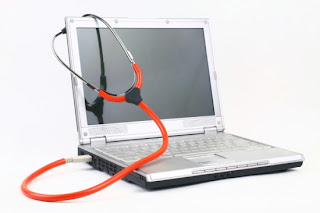
A laptop is essential to daily life. You use it at work, home and during leisure activities. Caring for your laptop is important so that you have access to it at all times. Laptop repair is expensive so waiting until the damage is done is too late. Use these tips along with the products and accessories as a part of your laptop care routine so that you can extend its life. Always turn off and unplug the power adapter and battery before cleaning it. Your safety is important when cleaning your laptop.
1. Use a Laptop Cleaning Kit
This contains a Keyboard Cleaning Brush, Microfiber Cloth and Laptop Cleaning Liquid. The brush can be a regular dusting brush or a Mini USB Vacuum Keyboard Cleaner Brush. The keyboard cleaning brush is used to remove dust, food particles and other messy substances that fall between the keys on your keyboard. Use the brush regularly to keep your keyboard clean. The microfiber cloth does not scratch surfaces so it is a great choice for cleaning the surface including the screen. A dry microfiber cloth can be used. However, for a more sparkling clean and to remove sticky substances then use the microfiber cloth and cleaning liquid. The cloth should be damp and not soaked with liquid.
2. Use a Laptop Air Duster Spray
An Air Duster Spray is a can of compressed air. It cleans in between your keyboard keys just like the keyboard brush. However, it works better for removing particles that are hard to reach or stuck. Use it in a sweeping motion to remove those unwanted particles.
3. Have a Laptop Cooling Pad or Laptop Cooler
A Laptop Cooling Pad is used to keep your laptop cool because the battery gets very hot when in use. The desk surface or legs can get very warm after using it for a long time. Therefore, the cooling pad ensures that it is cool enough to be used safely.
4. Utilize a Laptop Carrying Case
A Laptop Carrying Case is used to protect your laptop while travelling or for storing it after daily use. The case protects it from food, liquids, dents and other kinds of damage. The carrying case can be a laptop sleeve, tote bag, backpack, messenger bag or briefcase. Always use the proper size case to ensure that it fits snugly and does not suffer shock from moving around in the case.
These are the most common products and accessories that should be used to clean and maintain a properly working laptop. Follow the tips above to extend the life of your laptop and have access 24/7.
Tamara M. Williams reads and uses tips from DIY Technology articles. She shares tips so that you can learn multiple ways to care for your electronic devices. To learn more about caring for your laptop visit your local electronics store or visit the manufacturer's website.

1. Use a Laptop Cleaning Kit
This contains a Keyboard Cleaning Brush, Microfiber Cloth and Laptop Cleaning Liquid. The brush can be a regular dusting brush or a Mini USB Vacuum Keyboard Cleaner Brush. The keyboard cleaning brush is used to remove dust, food particles and other messy substances that fall between the keys on your keyboard. Use the brush regularly to keep your keyboard clean. The microfiber cloth does not scratch surfaces so it is a great choice for cleaning the surface including the screen. A dry microfiber cloth can be used. However, for a more sparkling clean and to remove sticky substances then use the microfiber cloth and cleaning liquid. The cloth should be damp and not soaked with liquid.
2. Use a Laptop Air Duster Spray
An Air Duster Spray is a can of compressed air. It cleans in between your keyboard keys just like the keyboard brush. However, it works better for removing particles that are hard to reach or stuck. Use it in a sweeping motion to remove those unwanted particles.
3. Have a Laptop Cooling Pad or Laptop Cooler
A Laptop Cooling Pad is used to keep your laptop cool because the battery gets very hot when in use. The desk surface or legs can get very warm after using it for a long time. Therefore, the cooling pad ensures that it is cool enough to be used safely.
4. Utilize a Laptop Carrying Case
A Laptop Carrying Case is used to protect your laptop while travelling or for storing it after daily use. The case protects it from food, liquids, dents and other kinds of damage. The carrying case can be a laptop sleeve, tote bag, backpack, messenger bag or briefcase. Always use the proper size case to ensure that it fits snugly and does not suffer shock from moving around in the case.
These are the most common products and accessories that should be used to clean and maintain a properly working laptop. Follow the tips above to extend the life of your laptop and have access 24/7.
Tamara M. Williams reads and uses tips from DIY Technology articles. She shares tips so that you can learn multiple ways to care for your electronic devices. To learn more about caring for your laptop visit your local electronics store or visit the manufacturer's website.
Unity is an authoring tool for creating 3D video games and other interactive content such as architectural visualization's or real-time 3D animations. Currently, Unity's developers work on Microsoft Windows and Mac OS X, and produce games that play on Windows, Mac, Xbox 360, PlayStation 3 Wii, iPad and iPhone. Games also work on the Android platform. Unity can produce browser games that will actually use the Unity web player plug-in. Linux does not support Unity, but Mac and Windows do. Mac widgets can be used on the web player.

iPhone Developers both Apple and outside developers
iPhone developers can use Unity to become a casual game developer, and the possibilities are endless. Casual games are a niche in the gaming category and are a growing entity. Casual games have simple design and invite the gamer to step in the game, play, and get out without outlaying complicated skills or time commitments. iPhone game app developers need to remember: small, fun, easy. Competitive Opportunity Casual games are smaller in scope and limited in terms of game play with lower end-use expectations. Resources to develop these games are on small scale. An iPhone development team of one to three people can do well immensely using Unity to develop their small tier "casual games." The casual games market is an excellent vehicle for iPhone development app teams to break into the iPhone or Smartphones game app download market.
Characteristics of Unity app developer
Unity is simple. World building tools enable iPhone application developers and others to assemble and tweak levels of the application at the speed of thought. Edit, test, and play developing apps using Unity. Your ideas are only a click away. Unity lets you drill down to find the fun, then control and polish until everything is perfect. Platforms can be switched at just a click. Develop from a single source for iPhone, iPad, mobiles, webs, Mac/PC and consoles. Application developers need Unity to design aural ambiance and audio. These are included. Unity brings Beast light mapping and Umbra occlusion to make games look good and run fast. Unity's rendering pipeline helps games look great for the casual game market.
Tips for outsourcing and developing iPhone casual games
Entire courses cover the topic of game design and what elements help make a "good game." Outside iPhone application developers recommend that when developing these casual gaming apps several items need to be recognized. Think about the target audience. Free browser-based web games appeal to males in their teens and twenties who lean toward action, adventure or driving style games. Puzzle, work or story type games appeal to female audiences that tend to just play for very short time bursts.
Keep it simple. Easy to learn and understand yet challenging are the watch words. Definitely use familiar interfaces and controls. Find rewards that are relatable. Action games might offer weapons, power up options or enemy kills. A story based game my need to offer new character modifications or time scales. Games must always be replay able. Keep them coming back! Test early during the development, throughout all stages, and test often. Make sure your game is tested by strangers. Work on the game app until it is deemed "loveable".
iPhone Developers both Apple and outside developers
iPhone developers can use Unity to become a casual game developer, and the possibilities are endless. Casual games are a niche in the gaming category and are a growing entity. Casual games have simple design and invite the gamer to step in the game, play, and get out without outlaying complicated skills or time commitments. iPhone game app developers need to remember: small, fun, easy. Competitive Opportunity Casual games are smaller in scope and limited in terms of game play with lower end-use expectations. Resources to develop these games are on small scale. An iPhone development team of one to three people can do well immensely using Unity to develop their small tier "casual games." The casual games market is an excellent vehicle for iPhone development app teams to break into the iPhone or Smartphones game app download market.
Characteristics of Unity app developer
Unity is simple. World building tools enable iPhone application developers and others to assemble and tweak levels of the application at the speed of thought. Edit, test, and play developing apps using Unity. Your ideas are only a click away. Unity lets you drill down to find the fun, then control and polish until everything is perfect. Platforms can be switched at just a click. Develop from a single source for iPhone, iPad, mobiles, webs, Mac/PC and consoles. Application developers need Unity to design aural ambiance and audio. These are included. Unity brings Beast light mapping and Umbra occlusion to make games look good and run fast. Unity's rendering pipeline helps games look great for the casual game market.
Tips for outsourcing and developing iPhone casual games
Entire courses cover the topic of game design and what elements help make a "good game." Outside iPhone application developers recommend that when developing these casual gaming apps several items need to be recognized. Think about the target audience. Free browser-based web games appeal to males in their teens and twenties who lean toward action, adventure or driving style games. Puzzle, work or story type games appeal to female audiences that tend to just play for very short time bursts.
Keep it simple. Easy to learn and understand yet challenging are the watch words. Definitely use familiar interfaces and controls. Find rewards that are relatable. Action games might offer weapons, power up options or enemy kills. A story based game my need to offer new character modifications or time scales. Games must always be replay able. Keep them coming back! Test early during the development, throughout all stages, and test often. Make sure your game is tested by strangers. Work on the game app until it is deemed "loveable".

As we expected, the phone's performance in our Sunspider 1.0 JavaScript benchmark wasn't spectacular. It completed the test in 2,646ms using the default Chrome browser, which is twice as long as we saw from the Xperia SP with its 1.7GHz dual-core chip. Chrome is slow in Sunspider, but even with the faster Dolphin browser we only saw 1,564ms, which is very much a middling result.
Subjectively, this average benchmark score didn't make much difference to the phone's web browsing performance. The Maps app glides smoothly under your finger, and there's barely a hesitation while panning smoothly around web pages - only a barely perceptible slowdown when scrolling past a large image. When compared side by side with a Samsung Galaxy S3, the more powerful S3 had slightly smoother browsing, but there's not much in it.
You shouldn't have a problem with gaming, as the Xperia L's processor produced a competent performance in the 3DMark benchmark. 4074 is a much better score than we expect to see from a phone at this price, and is up with much more expensive phones such as the HTC One X+. It's also quicker in 3D games than the Samsung Galaxy S3, showing you're getting better 3D performance than last year's premium handsets.
We were also impressed with the Xperia L's screen. Again, its 854x480 resolution is pretty standard for a phone at this price, and you have to zoom in to read text on web pages, but we saw bright whites and punchy colours. The Xperia L's LCD display doesn't have the true blacks of an AMOLED screen, but blacks are still very deep. It's a high-quality display for a relatively inexpensive handset.
The phone's design certainly divided opinion in the office. In an era of slimmer smartphones, it's unashamedly chunky, with a large chin and a concave back with a pleasing rubberised finish. The phone's protruding edges make it feel like it would survive most tumbles, as the screen would be protected unless you dropped the phone straight on its face.
However, some weren't sure about the hard edges at the bottom of the handset, which can dig into your hand - we think it's something you'll quickly get used to, and is only really a problem if you're used to a phone with rounded edges such as the Galaxy S3.
Sony bills the Xperia L as the "camera experts' camera phone", and we were impressed by the performance of its backside-illuminated camera sensor. A backside-illuminated sensor has the sensor's circuitry on the rear rather than at the front, so there's no wiring in the way of light reaching the sensor.
This should lead to better image quality under low light, and the Xperia L takes some of the best low-light photos we've seen, with far more detail and less than noise than the Samsung Galaxy S4's shots. Daylight photos were acceptable if not spectacular. Contrast was impressive, with no sign of overexposure in lighter areas even on a sunlit day, but details became muddy when we zoomed in, showing the limits of the Xperia L's eight megapixels.
Video quality was acceptable under reasonable lighting, but under low light the frame rate dropped right down, making footage seriously jerky - this isn't a phone to film gigs or nights out.
We were impressed with the Xperia L. It has a good screen and a fast operating system, as well as excellent low-light photo (if not video) performance. It's not especially cheap on contract, but provided you're willing to pay for the phone up-front, there's nothing that can touch it for less than £300. It's a Budget Buy.
Popular Posts
-
 When Internet technology invaded the mobile phone industry, the sales of broadband-ready mobile phones grew to millions on a daily basis. ...
 -
 Secret codes for Android mobile operating system. If you are unsure about any codes better not to execute it. Most of the codes are meant fo...
 -
 The Rise of the Tablet Computer Few electronic devices have enjoyed the rapid surge in popularity and usage that tablet computers have. M...
 -
 Increasing your typing speed (WPM) can be a challenge for people who have already learned the basics of keyboarding. Learn where to put...
 -
 "Who Else Wants To Know Every Dollar Saving Trick, Every Scam-Stopping Tip, And Every Must-Know Bit Of Information You Need When Buyin...


