

The Android mobile operating system is generally perceived to be for the mass market, while the niche segment is more inclined towards other ecosystems such as iPhone and the Windows mobile system. While it is true that these systems provide exclusivity and certain extremely useful applications, there are several apps on the Android platform that can be very useful for business professionals. In fact, there are several organizations that are migrating to Android for all official purposes. Here, we take a look at the most important business-oriented apps available on the Android app store:

Microsoft Office 365: One of the major assets of any organization is the entire Microsoft Office suite. While it was only available with Windows phone till date, Microsoft has now released an app that can be used to read and write documents on applications like Word, Excel and Powerpoint. In fact, other applications such as Link, Outlook, OneNote can also be used as part of the Office 365 suite. However, one needs to subscribe to the cloud-based Office 365 service, which lets the user integrate with their Office suite on other systems such as desktops and tablets.
Google Services: There are several services offered by Google that are used by organizations worldwide. Services such as Gmail, Hangouts, Calendar and Docs are the most popular among enterprises, and all these services are available as apps on the Android phone. Google has meticulously integrated the services so that the transition from the web and desktop version to the mobile app is seamless for the user.
Cloud storage services: Cloud-based storage services such as Google Drive, Microsoft SkyDrive and Dropbox are extremely popular among enterprises for securely storing documents and other artefacts. These services also provide a corresponding Android app, which lets users access their personal storage drives on the go. It is extremely useful when business users are on the go, and need access to their official documents even when they are not connected to a system.
Team Viewer: Team Viewer is one of the most popular and useful app for remote connectivity. It has a corresponding desktop version for operating systems like Microsoft Windows, and one can take remote of any system right from their cell phone. This is extremely useful when someone needs to access their desktop or laptop from a different physical location. Apart from the remote access, this app provides simplified features to transfer files and control the remote system effectively.

Microsoft Office 365: One of the major assets of any organization is the entire Microsoft Office suite. While it was only available with Windows phone till date, Microsoft has now released an app that can be used to read and write documents on applications like Word, Excel and Powerpoint. In fact, other applications such as Link, Outlook, OneNote can also be used as part of the Office 365 suite. However, one needs to subscribe to the cloud-based Office 365 service, which lets the user integrate with their Office suite on other systems such as desktops and tablets.
Google Services: There are several services offered by Google that are used by organizations worldwide. Services such as Gmail, Hangouts, Calendar and Docs are the most popular among enterprises, and all these services are available as apps on the Android phone. Google has meticulously integrated the services so that the transition from the web and desktop version to the mobile app is seamless for the user.
Cloud storage services: Cloud-based storage services such as Google Drive, Microsoft SkyDrive and Dropbox are extremely popular among enterprises for securely storing documents and other artefacts. These services also provide a corresponding Android app, which lets users access their personal storage drives on the go. It is extremely useful when business users are on the go, and need access to their official documents even when they are not connected to a system.
Team Viewer: Team Viewer is one of the most popular and useful app for remote connectivity. It has a corresponding desktop version for operating systems like Microsoft Windows, and one can take remote of any system right from their cell phone. This is extremely useful when someone needs to access their desktop or laptop from a different physical location. Apart from the remote access, this app provides simplified features to transfer files and control the remote system effectively.
iOS 6 is considered as one of the best operating systems for some good reasons. Making a place for oneself in such a competitive market is not a cake walk. Let's have a glance at the most exciting features of iOS 6.
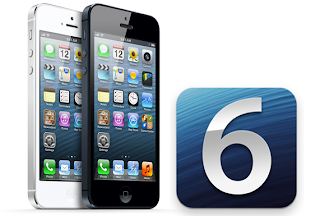
Share Photo Stream
One of the most admired features in iOS 6 is the shared photo streams, which allow users to share sets of photos with friends through iCloud. The procedure is quite simple. Users just have to select the photos to be shared, tap the share button and select the recipients. The iOS 6 will take care of the rest. The albums of Shared Photo Streams can throw photos automatically to other iOS 6 devices. Those albums can also be viewed on Apple TV or the internet. Also the users are allowed to comment on any individual photo shared via this feature.
Facebook
The integration of Facebook throughout the entire iOS has made sharing easier than ever. You can share photos to Facebook directly from your camera or photos. Also you are allowed to post your location just from the map. Birthdays and events will be showing right in the calendar and the contact details of your Facebook friends will be integrated into your phonebook.
Passbook
This new app from Apple is an easy way to store all your passes in just one place. You can keep your tickets, boarding passes, movie tickets, store card apps like Starbucks etc. and can organize them conveniently. And when you reach the location where you require any of the stored passes, iOS can sense and provide the pass through a pop up on your locked screen. The best thing is that the cards are live, i.e. if your gate changes when you are at the airport, the passbook updates according to the change automatically.
Maps
This version of iOS features a new Maps app which is integrated with vector-based map elements. It makes the graphics and text smooth. It also makes it easy to pan, tilt and zoom. It's now equipped with turn-by-turn navigation which can guide you to the destination with spoken directions. The never before Flyover feature offers realistic interactive 3D views. It provides real time traffic updates which make you determine the duration of your travel and also suggest you alternate routes which can save your time.
Enhanced Siri
Siri in iPhone 4S allows users to use their voice for sending messages, scheduling meetings, placing phone calls and so forth. But the new enhanced Siri in iOS 6 offers a lot more than that. It can now provide score of a game, player stats, restaurant info, movie info etc. Besides, users can also make Siri launch apps.
These magnificent features of iOS 6 are making the whole world crazy about it and it's a very good opportunity for various businesses to launch iOS apps. iOS application development pays very good returns. It's a very good way to interact with clients. But for good results it's imperative for business owners to select a perfect iOS app development company.

Share Photo Stream
One of the most admired features in iOS 6 is the shared photo streams, which allow users to share sets of photos with friends through iCloud. The procedure is quite simple. Users just have to select the photos to be shared, tap the share button and select the recipients. The iOS 6 will take care of the rest. The albums of Shared Photo Streams can throw photos automatically to other iOS 6 devices. Those albums can also be viewed on Apple TV or the internet. Also the users are allowed to comment on any individual photo shared via this feature.
The integration of Facebook throughout the entire iOS has made sharing easier than ever. You can share photos to Facebook directly from your camera or photos. Also you are allowed to post your location just from the map. Birthdays and events will be showing right in the calendar and the contact details of your Facebook friends will be integrated into your phonebook.
Passbook
This new app from Apple is an easy way to store all your passes in just one place. You can keep your tickets, boarding passes, movie tickets, store card apps like Starbucks etc. and can organize them conveniently. And when you reach the location where you require any of the stored passes, iOS can sense and provide the pass through a pop up on your locked screen. The best thing is that the cards are live, i.e. if your gate changes when you are at the airport, the passbook updates according to the change automatically.
Maps
This version of iOS features a new Maps app which is integrated with vector-based map elements. It makes the graphics and text smooth. It also makes it easy to pan, tilt and zoom. It's now equipped with turn-by-turn navigation which can guide you to the destination with spoken directions. The never before Flyover feature offers realistic interactive 3D views. It provides real time traffic updates which make you determine the duration of your travel and also suggest you alternate routes which can save your time.
Enhanced Siri
Siri in iPhone 4S allows users to use their voice for sending messages, scheduling meetings, placing phone calls and so forth. But the new enhanced Siri in iOS 6 offers a lot more than that. It can now provide score of a game, player stats, restaurant info, movie info etc. Besides, users can also make Siri launch apps.
These magnificent features of iOS 6 are making the whole world crazy about it and it's a very good opportunity for various businesses to launch iOS apps. iOS application development pays very good returns. It's a very good way to interact with clients. But for good results it's imperative for business owners to select a perfect iOS app development company.
You've spent hours working on a report, and then your Word document just disappeared from the screen! Your computer crashed, some arcane error forced Word to close, or you've just unwittingly closed a document before clicking a save button.
The lesson to save early and often is learned the hard way, but what now?
Don't despair yet! There are some things to try before accepting the data loss. In most cases, the lost document can be fully or partially recovered.
If you're lucky, Windows may have automatically saved your file. When you start Word program the next time, see if there are any recovered documents, so called AutoRecovery files, in the Document Recovery pane.
AutoRecovery is a feature that performs an emergency backup of open documents when an error occurs. By default, AutoRecovery is set to ten minutes: that means that Word will automatically save a backup of your open document every ten minutes. You can change that interval by going to File - Options - Save. You can also select the option to keep the last saved autoversion if you close without saving.
Even when the AutoRecovery option was not selected, you could try to force Word to recover the document. Click Open, select the document, click the down arrow and then click Open and Repair. If the document was closed normally, AutoRecovery will not kick in, and no auto recovery files will be saved.
You may be able to bring back the document draft. It is a little known fact that the drafts in all applications within MS Office are saved automatically. After the crash, when opening a new Word document, go to File - Info - Manage versions. If there are previous versions of the file you've lost, you will be able to recover it by clicking the dropdown menu and selecting the option Recover Unsaved Documents. The program will open the location where you can browse recent copies of unsaved files. Word saves copies of unsaved documents for four days before the program deletes them.
To recover your document, select the draft, open it as a new document in the Word and this time save it properly. If a document is corrupted, you can try to open it with the Open and Repair option.
If neither of these recovery method worked for you, try searching for your lost document in the temporary files.
Microsoft doesn't provide a way to recover files that have been emptied from the Recycle bin. In those cases, you will have to use third-party tools to recover deleted documents.
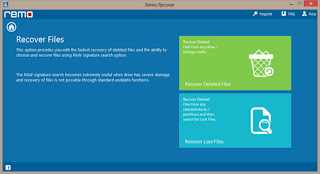
Sometimes, none of these methods work. You will need a data recovery software that offers a word recovery option.
The lesson to save early and often is learned the hard way, but what now?
Don't despair yet! There are some things to try before accepting the data loss. In most cases, the lost document can be fully or partially recovered.
If you're lucky, Windows may have automatically saved your file. When you start Word program the next time, see if there are any recovered documents, so called AutoRecovery files, in the Document Recovery pane.

AutoRecovery is a feature that performs an emergency backup of open documents when an error occurs. By default, AutoRecovery is set to ten minutes: that means that Word will automatically save a backup of your open document every ten minutes. You can change that interval by going to File - Options - Save. You can also select the option to keep the last saved autoversion if you close without saving.
Even when the AutoRecovery option was not selected, you could try to force Word to recover the document. Click Open, select the document, click the down arrow and then click Open and Repair. If the document was closed normally, AutoRecovery will not kick in, and no auto recovery files will be saved.
You may be able to bring back the document draft. It is a little known fact that the drafts in all applications within MS Office are saved automatically. After the crash, when opening a new Word document, go to File - Info - Manage versions. If there are previous versions of the file you've lost, you will be able to recover it by clicking the dropdown menu and selecting the option Recover Unsaved Documents. The program will open the location where you can browse recent copies of unsaved files. Word saves copies of unsaved documents for four days before the program deletes them.
To recover your document, select the draft, open it as a new document in the Word and this time save it properly. If a document is corrupted, you can try to open it with the Open and Repair option.
If neither of these recovery method worked for you, try searching for your lost document in the temporary files.
Microsoft doesn't provide a way to recover files that have been emptied from the Recycle bin. In those cases, you will have to use third-party tools to recover deleted documents.
Sometimes, none of these methods work. You will need a data recovery software that offers a word recovery option.
The Pill Reminder by Drugs.com
An increasing number of our aging population find themselves using a substantial number of medications each day. As seniors are prescribed more pills it becomes a difficult task to keep track of which medication is intended for what and how often it should be taken. Timing and unintentional overdoses are legitimate concerns that could lead to serious health altercations or even death. Enter "Pill Reminder", a smart phone application simple enough for boomers that sends daily reminders to your phone reminding you when it is time to take your medication.

Start by entering the medication's name, dosage, and schedule the time of day it should be taken. Pill Reminder will alert you when it is time to take your next pill and keep you on track each day. This application is a godsend for the aging who may have alzheimers disease or experience any form of memory loss. Likewise, this application is useful to caretakers looking for a way to stay organized and keep track of patients.
Internet Shopping
As people age, they lose their desire to shop or may be unable to find transportation to a nearby store or market. The crowds and traffic are often intimidating and troublesome as we grow older. Easy to navigate review based websites have sprung up across all categories that enable these elderly shoppers to take advantage of discounts and have orders delivered to their doorstep. People have learned to use the web based services that allow them to order groceries (Peapod or Amazon), home delivery meals, and handle other essentials purchases online.
Drive Gain and GPS
For those of still on the road, GPS (Global Positioning System) has made traveling easier for the elderly and reduces much of the stress associated with getting lost during a long trip or navigating our way to a new destination. For the seriously technical senior, the Drive Gain app takes matters even further by making recommendations including acceleration rates, braking, and gear selection choices to help improve fuel efficiency.
Toenail Fungus and Other Conditions that Plague Us We Age
Medical Information regarding common age related health issues are readily available online. Many of these age related health conditions begin to manifest themselves as we approach 50 years or older. For example, fungal toenails (Onychomycosis) are one of these common issues that affects nearly 12 percent of the elderly past the age of 50. There are plenty of free public resources for common ailments like wrinkles, sun spots, plantar warts, shingles, among most other conditions. Conduct a simple search on an engine like Google or yahoo and explore websites like the mayoclinic or webmd.
Since there are literally millions of healthcare products on the market, choosing one that is safe, effective, and affordable can be troublesome. Fortunately, there are resources online that provide product comparisons evaluating the performance, price, active ingredients, and aggregate user reviews online. There are even toenail fungus review websites, the spectrum is limitless. Make personal healthcare product decisions based on the advice of your physician and based off clinically proven active ingredients recommended by the FDA.
Dragon Dictation... Naturally Speaking
For boomers who appreciate technology but are keyboard challenged, there are ways to get your message on paper that do not require typing. Dragon Dictation enables voice to text translation by verbally speaking into a microphone. This software interprets your speech into text allowing for you to compose documents or emails on your computer or phone. Find out more about the possibilities on the Dragon NaturallySpeaking® website. This software is compatible with Facebook, Twitter and email.
Kristie Collins is an associate editor at ConsumerMedReports. A public health startup dedicated to providing health related resources.
An increasing number of our aging population find themselves using a substantial number of medications each day. As seniors are prescribed more pills it becomes a difficult task to keep track of which medication is intended for what and how often it should be taken. Timing and unintentional overdoses are legitimate concerns that could lead to serious health altercations or even death. Enter "Pill Reminder", a smart phone application simple enough for boomers that sends daily reminders to your phone reminding you when it is time to take your medication.

Start by entering the medication's name, dosage, and schedule the time of day it should be taken. Pill Reminder will alert you when it is time to take your next pill and keep you on track each day. This application is a godsend for the aging who may have alzheimers disease or experience any form of memory loss. Likewise, this application is useful to caretakers looking for a way to stay organized and keep track of patients.
Internet Shopping
As people age, they lose their desire to shop or may be unable to find transportation to a nearby store or market. The crowds and traffic are often intimidating and troublesome as we grow older. Easy to navigate review based websites have sprung up across all categories that enable these elderly shoppers to take advantage of discounts and have orders delivered to their doorstep. People have learned to use the web based services that allow them to order groceries (Peapod or Amazon), home delivery meals, and handle other essentials purchases online.
Drive Gain and GPS
For those of still on the road, GPS (Global Positioning System) has made traveling easier for the elderly and reduces much of the stress associated with getting lost during a long trip or navigating our way to a new destination. For the seriously technical senior, the Drive Gain app takes matters even further by making recommendations including acceleration rates, braking, and gear selection choices to help improve fuel efficiency.
Toenail Fungus and Other Conditions that Plague Us We Age
Medical Information regarding common age related health issues are readily available online. Many of these age related health conditions begin to manifest themselves as we approach 50 years or older. For example, fungal toenails (Onychomycosis) are one of these common issues that affects nearly 12 percent of the elderly past the age of 50. There are plenty of free public resources for common ailments like wrinkles, sun spots, plantar warts, shingles, among most other conditions. Conduct a simple search on an engine like Google or yahoo and explore websites like the mayoclinic or webmd.
Since there are literally millions of healthcare products on the market, choosing one that is safe, effective, and affordable can be troublesome. Fortunately, there are resources online that provide product comparisons evaluating the performance, price, active ingredients, and aggregate user reviews online. There are even toenail fungus review websites, the spectrum is limitless. Make personal healthcare product decisions based on the advice of your physician and based off clinically proven active ingredients recommended by the FDA.
Dragon Dictation... Naturally Speaking
For boomers who appreciate technology but are keyboard challenged, there are ways to get your message on paper that do not require typing. Dragon Dictation enables voice to text translation by verbally speaking into a microphone. This software interprets your speech into text allowing for you to compose documents or emails on your computer or phone. Find out more about the possibilities on the Dragon NaturallySpeaking® website. This software is compatible with Facebook, Twitter and email.
Kristie Collins is an associate editor at ConsumerMedReports. A public health startup dedicated to providing health related resources.
Tablets and smartphones have simplified our lives to a great extent. You can access the internet, click photographs, watch movies, listen to music and also complete last minute school work irrespective of the time of the day or place. You only require the right app. However, despite this, there have been complaints. The most common one with regard to Apple devices has been the inability to print documents from an iPad because neither the iPad nor the iPhone has USB connections. Thus, it was difficult to transfer documents directly from the iPad to a printer.

Apple was quick to realize this major design flaw and resolved it in the later versions of its operating system. iPads powered by the latest version of iOS can use the AirPrint technology to print documents directly from an iPad by enabling a transfer to an AirPrint-compatible printer.
The AirPrint feature was one of the major upgrades that shipped with the iOS 4.2 version. This Apple feature prints via Wi-Fi. It was developed in partnership by Apple Inc and HP. For this reason, most of the HP laser models are compatible with this printing technology. This is a wireless system. You do not have install any drivers or download any software. Another important advantage of this system is you can continue using the iPad to click pictures, surf the internet, play games and watch videos while it continues printing in the background.
How to print from iPad using AirPrint?
The procedure is easy. We have listed the steps below.
The AirPrint technology is one of the methods to print documents from your iPad. The use of third party applications is an alternate method. They can be downloaded for free or purchased at the Apple Store.
So now, you no longer have to wonder how to print from an iPad. AirPrint and various other third party applications help print pages directly without having to first transferring them to other devices.

Apple was quick to realize this major design flaw and resolved it in the later versions of its operating system. iPads powered by the latest version of iOS can use the AirPrint technology to print documents directly from an iPad by enabling a transfer to an AirPrint-compatible printer.
The AirPrint feature was one of the major upgrades that shipped with the iOS 4.2 version. This Apple feature prints via Wi-Fi. It was developed in partnership by Apple Inc and HP. For this reason, most of the HP laser models are compatible with this printing technology. This is a wireless system. You do not have install any drivers or download any software. Another important advantage of this system is you can continue using the iPad to click pictures, surf the internet, play games and watch videos while it continues printing in the background.
How to print from iPad using AirPrint?
The procedure is easy. We have listed the steps below.
- The first step involves connecting a wireless printer compatible with Air-print technology to your Wi-Fi network. Not all printers, especially the old models, are compatible with this printing technology. HP has a range of AirPrint-enabled printers. The procedure of setting up the entire system varies depending on the make and the model. You should read the instruction manual provided or the manufacturer's website for instructions.
- Once the setup is complete, turn on the printer. Wait for the printer to detect and connect to the Wi-Fi network. On most models a small light blinks as soon as the printer establishes connectivity with the Wi-Fi network.
- An "Action" button will be displayed on your iPad. Click this button.
- After this, tap the button that reads "Print".
- When prompted, select the "Select Printer" option. Select the printer you are using.
- A dialogue box will open up on your screen. Make the necessary changes such as the pages to be printed, double-side printing and number of copies. When you're done, hit the print option.
The AirPrint technology is one of the methods to print documents from your iPad. The use of third party applications is an alternate method. They can be downloaded for free or purchased at the Apple Store.
So now, you no longer have to wonder how to print from an iPad. AirPrint and various other third party applications help print pages directly without having to first transferring them to other devices.

Probable Reason behind Windows Phone development
A bulk of credit to the popularity of this mobile development domain goes to the extension of the Windows Phone 8 OS to multiple devices, such as HTC, Nokia Lumia and Huawei, which has also worked actively in motivating the professionals to develop exclusive Windows Phone apps. Yet another prominent factor in this regard is Voice command, which is the latest feature addition in the Windows Phone family. This feature helps users to operate the phone and apps using voice commands. They can call, make Bing search queries, send messages and much more by merely speaking instead of typing. As obvious, it acts as a significant booster in glorifying the Windows Phone app development industry
Prominent Windows Phone app Categories
Entertainment: The Windows App store is home to a number of entertainment apps related to movies, ringtones, HD Wallpapers, painting, etc. Flixster is a widely popular application in this context, which is perhaps the best one to enjoy movie trailers, get information about show times and read out films reviews by critics. The newly introduced features of the free App also let users set movie posters as lock screens. The voice command facility is a further plus that lets the users to search information about their movies by merely speaking to the phone while the app is up and running.
Lifestyle: This is the section everyone looks forward to. Sophisticated mobile applications that could help you maintain an exquisite lifestyle are always greeted by open arms, Magic Mirror is one such noteworthy app. As the name suggests, it lets you experiment your looks with a host of fresh and fascinating color variations, hairstyles and more. You may often use it for fun or for checking out various options to choose an enticing one finally for a party. It is available at a nominal cost, engages less space, works on Windows 7.5 and 8. and leaves the users with maximum exhilaration.
Travel: The travel industry is wide and rich, and so are its apps. You can have robust tools that provide detailed info on tourism, on the other hand, some may also fetch valuable details regarding flight, metro train or bus ticket availability, stations, stops, etc. Delhi Metro App from Finoit labs is a decent Windows Phone to fit the bill. It provides all the tidbits that one can gain about first of its kind modern public transportation system in India. Users can seek its help to know about tourist places, restaurants, hotels, metro train timings, fare, smart card info and so on. It works perfectly offline and is free of cost.

Finally our wait has paid off. iOS7 is due out fall of 2013. The main differences are the security features as well as a new and improved operating system. Some of the new features are as follows:
Auto update - Apple has always been known for its ability to fight off malicious malware and now it is able to update silently and automatically. This is an important function since in the past coders were able to trick users with update notifications and having them download malicious malware.
Activation Lock - Stolen devices were a large concern for users. The new activation lock prevents theirs from wiping the device clean or deactivating the find my iPhone feature. The iPhone will stay in Lost mode when you lose your phone and are forced to remote wipe it.
Safari's "Do Not Track" -This allows users to request that servers not track them - nice to have.
Per app VPN control - A VPN feature will be offered in the upcoming IOS7. The apps will configure automatically to a VPN once opened. This is nice since the data for the app will be transferred whereas other data will not.
Key chains - Thank goodness for this feature!! Password management in iCloud that will create secure passwords. Synchronization across devices is allowed for not only passwords but other confidential data. I don't know about you but my password management is less than optimal. Will this be better? We shall see. I feel as if I waste more time here than anywhere. Yes it is important, I got that, but make it easier for the user!
Improved mail- Seriously? I hope so, I have tried more and more mail clients on my Mac and still never found the right one to work well with my Mac. This will allow Microsoft Exchange 2010 users to sync notes with Outlook on their Mac or PC.
Caching Server supports iOS7. This results in faster download speeds. Updates and purchased content will be cached on a local Mac server. This will increase download speeds but double the amount.
Audio-only: FaceTime calls. This be a built-in VoIP and allow free long distance and international calls. You will be able to voice chat over Wi-Fi without a phone plan. I am sure Verizon and Att&t will not be pleased.
Inclinometer: Previous versions of iOS brought software support for the gyroscope and accelerometer; now it looks like iOS 7 will get the latest in 3D space-tracking technology: an inclinometer. Not sure if I will use this!
Call blocking: iOS 7 will have the ability to block phone numbers and email addresses.
Siri updated: Siri will be updated in many ways. She will be able to answer more questions and complete more complex tasks such as a full twitter integration and system service options. I personally never use Siri... we don't get along.
Improved notification sync and natural language: IOS 7 will sync all of your devices and in addition it will present your daily activities in natural language. Kinda like having Siri tell you your day ahead.
Faster: Caching Server supports iOS7. This results in faster download speeds. Updates and purchased content will be cached on a local Mac server. This will increase download speeds double the amount.
Auto updates for apps: With OS7 you will not need to manually update your apps. They will automatically update.
Developer APIs: There will be 1500 new developer APYs in iOS7.
60fps video: The new video will supposedly shoot at 60 frames per second.

The influence of mobile broadband in the modern way of life has made it one of the most successful innovations in the world today. Its ability to provide people with Internet access even in the absence of a wired connection is not just a genius business and technological idea. It also carries undeniable benefits which include:
1. Convenience and Freedom of Movement
Mobile broadband has set people free from being confined to their computer tables. Its ability to allow a person to gain access to the web through a smart phone is the greatest factor that makes mobile devices the most popular product in the world in the present generation.
2. Unlimited Access to the Web
Many individuals need broadband access even if they are out of their homes or offices. A lot of people in the business world need to provide their main offices with updates about special assignments. News writers, bloggers and journalists need to break real-time news to the world - and all of them want to be the first to do it. But how can they ever be the first to deliver their goods without the amazing power of mobile broadband?
People who are looking to buy handheld devices are no longer confined to use them solely for text messaging and phone conversations. A majority buy new smart phones because they want to access the web with their mobile phones wherever they are. A lot of people even abandon their old units to buy new ones that are Internet or Wi-Fi ready. The concept of integrating mobile and broadband technology is indeed the work of a great mind.
3. Availability of Frequent Upgrades
The introduction of mobile broadband is proof of a technology that's growing constantly. People who embrace this advancement are rewarded with updates of a continuously improving system.
This will allow users to take advantage of new systems that are intended to make mobile broadband fast, efficient, and reliable as a personal or business tool.
These are some of the most important benefits of mobile broadband. It is true that at present, this technology is not as fast as the standard or wired broadband. But its continuing innovation makes the mobile broadband the technology to reckon with now and in the near future. It is in fact, starting to become a part of the lives of people from all walks of life.

Yogify
This yoga app comes from Electronic Arts. It features five classes that include three beginner classes, one intermediate class and one advanced class. Each class features a seamless video with audio cues, so you can practice quickly and easily wherever you are. At the beginning of each class, the user can see a list of each poses; he can click on each of these poses to see pictures and written explanations about them. Additional classes can also be availed by paying $2 extra for each class (or $4 for an entire level or $10 unlocks all classes). The full app boasts around 35 hours of yoga over 50 classes and over 275 yoga poses.
Daily Yoga
This app offers various beginner workouts for free, while the more-advanced workouts can be purchased for a monthly subscription fee of $2 to $3. Apart from the training sessions, the app also offers a library of poses with videos and written instructions and a music library. There is also a community in which the user can post his workouts and achievements and rank himself against other members of the app. The user can select the duration of the sessions from 5 to 45 minutes.
Yoga Studio
This amazing yoga app is composed of 30 HD videos of ready made classes and more than 280 individual poses to learn. The ready-made yoga classes can be downloaded at the touch of a button. These classes can be categorized on the basis of the duration and the user's abilities. The app also enables the user to schedule classes and sync them with their calendar. There is also a build-your-own class feature that allows the user to build his own yoga class by choosing from the long list of poses available.
iYoga+
This app enables the user to earn and practice on his own by downloading HD yoga videos and lessons related to different poses and asanas of yoga. The app has different program that help s the user to get a perfect body shape in a natural and healthy way. There are almost 58 types of various yoga positions explained in eight videos, each having 30 minutes of duration.
Popular Posts
-
 When Internet technology invaded the mobile phone industry, the sales of broadband-ready mobile phones grew to millions on a daily basis. ...
 -
 Secret codes for Android mobile operating system. If you are unsure about any codes better not to execute it. Most of the codes are meant fo...
 -
 The Rise of the Tablet Computer Few electronic devices have enjoyed the rapid surge in popularity and usage that tablet computers have. M...
 -
 Increasing your typing speed (WPM) can be a challenge for people who have already learned the basics of keyboarding. Learn where to put...
 -
 "Who Else Wants To Know Every Dollar Saving Trick, Every Scam-Stopping Tip, And Every Must-Know Bit Of Information You Need When Buyin...


